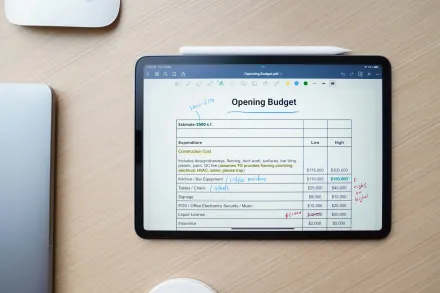
In the realm of personal finance and small business management, a budget stands as a map that guides decisions, clarifies priorities, and reveals where resources flow. When a budget is constructed using a spreadsheet, the map gains a flexible framework that can adapt to changing circumstances, track actual performance against plans, and illuminate opportunities for savings or investment. The power of a spreadsheet budget lies not only in the ability to enter numbers, but in the capacity to organize information around categories, time frames, and scenarios with a level of precision that supports disciplined planning. This exploration goes beyond simple arithmetic and enters into the craft of structuring data, implementing consistent rules, and building a system that both informs and motivates responsible financial behavior. By focusing on thoughtful design, reliable formulas, and clear presentation, you can transform a collection of numbers into a living budget that captures realities, supports goals, and remains usable over the long horizon of monthly cycles and yearly adjustments.
To begin, it is helpful to understand the core principles that underlie any budget created in a spreadsheet environment. A budget is essentially a forecast of income and expenses over a defined period, accompanied by measures that compare what was planned with what happened. A well conceived budget includes not only a ledger of expected inflows and outflows, but also a framework to monitor actuals, highlight variances, and prompt corrective actions. The spreadsheet medium offers the ability to separate data from presentation, perform rapid recalculations when new information arrives, and present the results in a format that can be shared, reviewed, and revised collaboratively. This approach ensures that the act of budgeting remains a practical, ongoing process rather than a one time exercise. The goal is to create a budget that is both comprehensive and approachable, so that it can be used without requiring advanced technical expertise while still supporting meaningful insight when needed.
In this guide, we will explore the process of building a budget using spreadsheets from first principles to practical deployment, emphasizing design choices that improve accuracy, transparency, and adaptability. You will learn how to establish a robust template that can be duplicated for new periods, how to classify income and expenses in a logical and stable way, how to implement rules that prevent common mistakes, and how to extend the model with simple analyses and visualizations that reveal trends without overwhelming the user with noise. Throughout the discussion, the emphasis remains on readability, maintainability, and reproducibility, because a budget that is hard to understand or difficult to update defeats the very purpose of having a structured financial plan. The material presented here aims to be approachable for readers who are configuring a budget in a personal context, while still offering enough depth to support more complex applications in small organizations or family offices.
Grasping the purpose and scope of a spreadsheet budget
Before diving into the mechanics, it is important to articulate the purpose of your budget and define its scope. The purpose is to create a disciplined view of money that clarifies where it comes from, where it goes, and how it aligns with your broader objectives. The scope determines the time horizon, the level of detail, and the kinds of information you will capture. You might want a monthly budget that tracks income and a wide set of expense categories, or perhaps a quarterly view with a tighter focus on core living costs and debt obligations. For a business context, the scope often includes revenue streams, cost of goods sold, operating expenses, taxes, and cash flow considerations. By setting a clear scope, you can avoid scope creep and ensure that the resulting model remains usable for its intended purpose. A spreadsheet budget that is too granular can become unwieldy, while one that is too coarse may hide important dynamics. The aim is balance and clarity, with enough detail to illuminate meaningful patterns without becoming overwhelming to maintain.
As you consider scope, it is natural to think about the cadence of updates. A monthly rhythm is common because it corresponds to most pay cycles and financial statements. Some budgets extend to quarterly periods or synchronize with fiscal years for businesses. Regardless of cadence, the essential principle is consistency: the same categories, the same time slices, and the same calculation logic should apply across all periods. Consistency makes it possible to compare periods, compute variances, and build a credible narrative about how finances evolve over time. The choice of cadence will influence how you structure the worksheet layout, how you implement rolling totals, and how you design the user experience so that it remains straightforward as the data grows. By fixing these choices upfront, you reduce friction later on and create a stable foundation for ongoing budgeting activity.
Another fundamental consideration is the balance between income, fixed costs, variable costs, and discretionary spending. A robust budget recognizes fixed commitments such as rent or mortgage payments, loan obligations, insurance, and utilities, while also accommodating variable expenses like groceries, transportation, and entertainment. Discretionary spending represents choices that can be steered in response to actual performance, and it is here that individuals and teams often discover opportunities to reallocate resources toward savings, debt reduction, or investments. In a spreadsheet, you can model this balance by setting aside separate sections for fixed and variable items, and by creating rules that automatically adjust discretionary categories in the face of shortfalls or surpluses. The end result is a budget that reflects reality while providing a framework to influence future outcomes through informed decisions.
Ultimately, a well fashioned spreadsheet budget should do several things in a coherent manner. It should capture data in an organized structure that is easy to navigate. It should perform calculations reliably and transparently so that the rationale behind every number is evident. It should support scenario exploration, enabling you to test how different choices affect the bottom line. It should also offer a straightforward reporting mechanism that communicates the core story to stakeholders who may not be intimately familiar with the day to day numbers. When these objectives are achieved, the budget becomes more than a set of numbers; it becomes a living instrument for planning, prioritizing, and achieving financial goals over time.
Choosing a spreadsheet tool and setting up a workbook
The first practical step in building a budget is selecting a spreadsheet application and configuring a workbook that aligns with your preferences and available resources. Whether you choose a widely used desktop program or a cloud based solution, the essential ideas remain the same. Start with a clean workbook that contains at least one dedicated area for income, one for expenses, and one for a summary or dashboard that presents key figures at a glance. The layout should be intuitive enough that someone other than you could understand the model, yet flexible enough to accommodate future changes. As you begin, decide on a naming convention for worksheets that keeps related information together and makes it simple to locate specific data when you need to review historic performance or test new scenarios. A straightforward naming approach might include separate sheets for inputs, calculations, and output reports, with a clear mapping between the data you enter and the calculations that derive results. By creating a modular structure, you prevent formula spillovers and make it easier to troubleshoot if numbers diverge from expectations.
In addition to structure, consider the choice of data types and data validation to maintain data integrity. Spreadsheets allow you to constrain entries to specific formats, ranges, or lists, which helps prevent common mistakes such as entering letters where numbers are required or misclassifying a transaction. Planning for data validation at the outset reduces the need for expensive cleanup later and supports consistent categorization across the entire budget. It is also wise to implement a simple process for importing or entering data, including a consistent field for the date, a clear description, and standardized categories. When possible, you can automate data capture from bank feeds or accounting software, but even without automation, a disciplined input method dramatically improves the reliability of the budget and the confidence you can place in its outputs.
When setting up the workbook, it is prudent to design a readable and navigable user interface within the constraints of a plain spreadsheet. Use clear headers, consistent typography through bolding or color cues, and a logical flow from input to calculation to reporting. Even in plain spreadsheet layouts, you can guide the eye with subtle formatting that distinguishes input cells from computed cells, highlights variances, and emphasizes important totals. The goal is to create an environment where a reader can quickly scan the page, understand the relationships between numbers, and trust the results produced by the formulas that power the model. A carefully designed interface reduces the cognitive load required to interpret the budget and supports faster decision making when plans change mid cycle.
In practice, you may begin with a simple whiteboard sketch or a rough draft in a spare worksheet to outline the data you intend to track and the calculations you will perform. Translating those ideas into a structured workbook that organizes data by category and period is often the most productive next step. As you populate the initial data and set up the first round of formulas, you will begin to verify whether your design captures the essential dynamics of income and spending in a way that remains extensible for future periods. This incremental approach allows you to iterate on layout, improve readability, and ensure that the budget remains aligned with real world needs while preserving the capacity for future enhancements.
Designing a budget template with categories
Central to any budget is the taxonomy of income and expenses that describe the sources and uses of money. A thoughtful template categorizes inflows and outflows in a way that remains stable over time while offering enough granularity to reveal meaningful patterns. Start with broad categories for income, such as salary, passive income, and irregular earnings, and create a parallel set of broad categories for expenses, including housing, food, transportation, health, savings, debt service, and discretionary purchases. Within each broad category, create subcategories that reflect the realities of the household or business. For example, housing might include rent or mortgage payments, property taxes, insurance, maintenance, and utilities, while transportation might cover fuel, repairs, insurance, and public transit. The subcategory structure should be intuitive so that new transactions can be slotted quickly and consistently without debate or confusion. A stable structure supports reliable analysis by ensuring that variances can be attributed to the same causes across months or quarters.
As you develop the template, it is also wise to consider the treatment of irregular income and variable expenses. For irregular income, you may maintain a separate line or category to capture inflows that do not occur with predictable frequency. This helps to prevent a false sense of security when every month lacks the same pattern of earnings. For variable expenses, you can establish thresholds or envelopes that permit flexibility within reasonable bounds while still maintaining accountability. A well designed template provides a mechanism for updating the anticipated amount for each category as you learn more about how actual spending behaves, while also preserving a trackable history that can reveal changes in patterns over time. The resulting structure supports both forecast accuracy and meaningful comparisons across periods, enabling you to see not only where money is going, but how the allocations align with your priorities and goals.
Another important consideration is the treatment of savings and debt repayment within the taxonomy. Saving for emergencies, future investments, or major purchases should be represented as explicit categories, distinct from discretionary spending, to preserve a clear picture of how much is being set aside and where it is directed. Debt service, including principal and interest, deserves its own attention to ensure that payments stay on track and that interest costs are captured accurately in the overall picture. By giving savings and debt their own slots in the budget, you create a narrative about financial resilience and strategic repayment that remains visible alongside day to day expenses. The result is a budget that not only tracks current cash flow but also communicates progress toward longer term financial objectives with transparency and discipline.
With a well defined category framework in place, consider how to implement the layout within the spreadsheet. A practical approach is to dedicate a section for income and a mirrored section for expenses, with a separate summary area that aggregates the totals and presents variances. Group related categories together to make the structure logical and easy to scan. Use consistent naming conventions that are easy to remember and search, so that a user can locate a specific category quickly when adding new transactions. The template should be resilient to changes; you may add new subcategories as circumstances evolve, and you should be able to maintain compatibility with historical data without requiring a complete rebuild. By investing time in the design of categories, you build a budget that remains coherent and useful through many cycles of financial activity.
Creating income tracking and expense categories
Effective income tracking begins with identifying all the sources of revenue that characterize the budget. If you are budgeting for a household, this might include wages, salaries, bonuses, rental income, freelance earnings, and government benefits. If you are budgeting for a small business, revenue streams could include product sales, service fees, subscription income, and miscellaneous revenue. In every case, it is valuable to capture the source, the expected amount, and the timing, so that you can project cash inflows across the budgeting horizon. A clear record of income in the template supports accurate forecasting and enables you to assess the reliability and volatility of different revenue streams. By tracking the timing of income, you can anticipate periods of cash shortfall or surplus and plan accordingly, reducing stress and improving decision making when expenditures need to be adjusted.
Expense categories, as discussed, should reflect the real costs of living or operating the enterprise. Begin with essential expenses that are non negotiable, such as housing costs, utilities, insurance, and loan payments, and then include discretionary categories that offer flexibility, like dining out, entertainment, and travel. Within each category, create lines for subcategories that capture the specific components of spending. By structuring expenses in this way, you can monitor not only the total cost but also the composition of that cost, which helps reveal where savings opportunities lie. If you make a habit of reviewing these categories regularly, you can spot rising costs early, compare actual spending to the plan, and implement adjustments to restore alignment with budgeted goals. A well organized set of income and expense categories acts as the backbone of the budget, enabling clear communication and practical oversight across multiple periods and stakeholders.
The process of creating and refining categories is iterative. After your first pass, you will likely notice that certain lines behave differently from initial expectations, or that some categories would benefit from consolidation or expansion. This is a natural and healthy part of budgeting. The spreadsheet makes it possible to revise the category structure without losing the historical sense of where money has been allocated. You can merge two subcategories into a broader category to simplify reporting, or you can split a broad category to capture more detail where it proves useful. The important principle is to preserve a stable framework while allowing the flexibility to adapt as circumstances change. By embracing iteration, you ensure that your budget remains relevant, accurate, and insightful over time.
As you populate the income and expense sections, remember to include explicit lines for taxes, savings, and debt service. Taxes may be estimated and paid at regular intervals, but within a budget you can model them as a predictable proportion of income or as a separate category connected to income. Savings should be viewed as a deliberate allocation that reduces available discretionary spending, reinforcing the intention to build financial security. Debt service lines improve visibility into the cost of borrowing and help prevent the illusion that debt payments are inconsequential. These elements, when clearly represented in the template, create a budget that tells a complete story about inflows, outflows, obligations, and aspirations, rather than a partial snapshot that misses critical aspects of financial responsibility.
In addition to content, formatting choices can significantly enhance usability. Use distinct colors or shading to separate income from expenses, and apply subtle borders to define the boundaries of each category. Visual consistency supports quick comprehension, especially when reviewing multiple periods in sequence. While the numbers themselves carry meaning, the way they are presented can either clarify or obscure the underlying narrative. A well designed template uses visual cues to highlight important totals, variances, and trends, making it easier for users to focus on what matters most without becoming overwhelmed by data. Thoughtful formatting is not decoration; it is an essential tool for effective financial communication within the budget.
Setting up formulas for totals and subtotals
Formulas are the engines that convert raw entries into meaningful totals, and the reliability of a budget hinges on the correctness of these calculations. The most basic requirement is to sum all relevant income lines to produce a total income figure for each period. Similarly, you will sum all expense lines to derive a total expenses figure. Subtotals allow you to aggregate related groups of categories, such as housing related costs or food and groceries, providing a hierarchical view of the cash outflow structure. The total expenses figure is then used to compute the net cash flow, which is the difference between total income and total expenses. Achieving accuracy in these sums is fundamental because every subsequent analysis depends on the integrity of these foundational values.
Beyond simple summations, you will want to derive variances that compare actual performance to the budgeted plan. A typical approach is to have a separate column for the budgeted amount and another for the actual amount, with a variance column that expresses the difference between the two. The variance can be expressed in absolute terms or as a percentage of the budget, depending on what provides clearer insight for your situation. Implementing variance calculations in a consistent manner across all categories helps to reveal where the model is performing as expected and where adjustments may be necessary. It is important to choose a consistent direction for variances meaning that a favorable variance will always be described the same way across periods and categories. The clarity of the variance narrative reduces confusion and makes it easier to identify deviations that warrant attention.
As your budget grows in complexity, you may incorporate more sophisticated calculations, such as rolling sums over multiple months, seasonal adjustments, or projected cash flow beyond the current period. These calculations should be designed to be optional or gracefully degrade when not needed, ensuring that the core budget remains accessible even if some advanced features are turned off. When adding new calculations, document the intent in a simple note within the worksheet so that future readers can understand the purpose and logic behind the formula. A transparent calculation framework fosters trust in the budget and makes it much easier to audit and revise when circumstances require it.
To keep formulas maintainable, avoid hard coding numbers into formulas whenever possible and prefer cell references that point to the appropriate inputs. This practice makes it straightforward to update one value, such as a salary increase or a tax rate, without requiring a careful search through many formulas. It also makes it easier to duplicate the budget for another period by simply copying the structure and adjusting the input values, rather than reconstructing the entire set of calculations from scratch. A well designed formula architecture is the backbone of a robust budget and a crucial contributor to long term usability and accuracy.
In addition to totals and variances, you can implement optional checks to catch common data entry errors. Simple consistency checks can verify that income totals equal the sum of all income sources, or that expenses never exceed a reasonable proportion of income without an explicit plan. These checks do not replace thoughtful review, but they provide a lightweight safety net that helps maintain data integrity and reduces the chance that a single mistaken entry propagates through the model. The inclusion of these guardrails is a practical way to protect the credibility of the budget and support steady progress toward financial goals over time.
Using data validation and dropdowns to maintain consistency
Data validation and dropdown menus are practical tools that help maintain consistency in a budget that is managed across weeks and months by multiple people or through evolving processes. By restricting the entries for category fields to a predefined list, you can prevent misspellings and ensure that all transactions are categorized uniformly. This is essential for accurate reporting and reliable trend analysis. A disciplined approach to data validation reduces the time spent on data cleaning and increases the speed with which you can update the budget with new information. It also makes it easier to aggregate data across periods since the categories align exactly and do not drift over time because of inconsistent labeling.
Dropdowns can be applied to fields such as category, income source, and payment type. When a user selects from a controlled list, the workbook has a consistent data set to work with in every period, which simplifies analysis and reduces the risk of fragmented data. To implement dropdowns effectively, keep the source lists in a dedicated area of the workbook where they can be updated if needed without impacting the formulas that rely on them. If you anticipate frequent changes to the category structure, consider maintaining a mapping table that enables you to adjust categories without having to rework the entire model.
Data validation is not limited to categories alone. You can also apply rules to dates to ensure that inputs fall within the expected budgeting window, to numeric fields to prevent non numeric entries, and to logical constraints such as ensuring that a subcategory does not exceed the parent category in a way that would distort totals. By implementing validation rules thoughtfully, you create a safer data entry environment that supports consistent results and reduces the need for late stage error correction. A budget that benefits from strong data validation is more trustworthy and more straightforward to use for decision making because it minimizes the potential for human error to undermine the numbers.
In practice, you may combine validation with conditional formatting to draw attention to unusual values, such as unexpectedly high expenses in a particular category or a variance that exceeds a predefined threshold. Visual cues reinforce the data layer by signaling where attention is warranted without requiring a person to comb through every line item. This combination of validation and visual guidance helps maintain the budget’s integrity while preserving clarity and ease of use for anyone who interacts with the workbook. The result is a more resilient budgeting tool that remains accurate and legible as the data expands and evolves over time.
Building a monthly view and rolling forecasts
The monthly view is the heartbeat of a practical budget, providing a close up view of current performance while serving as the stepping stone to longer horizon planning. A monthly tab typically contains a complete set of income and expense categories for a single month, with columns that capture planned amounts, actual amounts, and variances. A well designed monthly view makes it possible to see how the month is progressing relative to the plan, which in turn informs timely decisions about spending adjustments or savings actions. A clear monthly layout supports quick checks and fosters accountability by making variances immediately visible and easy to interpret. The monthly structure can then be replicated for each subsequent month, creating a continuous archive of performance that can be summarized for quarterly or yearly reviews.
Rolling forecasts extend the utility of a monthly budget by projecting future periods based on current performance trends and the plan you have set. A simple approach is to carry forward a rolling balance that informs next month’s starting cash position, adjusting for the actuals observed and incorporating any expected changes in income or expenses. Rolling forecasts help you anticipate potential cash flow gaps and enable you to preemptively adjust spending or savings targets. In practice, a rolling forecast can be implemented with shiftable formulas that reference past months and anticipate upcoming periods, allowing the budget to evolve in a controlled manner as new data becomes available. A thoughtful rolling forecast keeps the budget dynamic without sacrificing stability, which is essential for both households and growing enterprises that need to adapt to changing conditions while preserving a clear financial map.
As you implement monthly views and rolling forecasts, consider also creating a simple dashboard or summary region that aggregates key indicators such as total income, total expenses, net cash flow, and a primary variance metric. A dashboard provides a quick snapshot of the most important numbers and helps readers understand the overall trajectory at a glance. Even though you may rely on separate sheets for detailed data, a concise, well designed dashboard acts as the budget’s compass, guiding attention to areas that require action and reinforcing the narrative that underpins your financial plan. The combination of monthly detail and rolling perspective creates a budgeting system that is both precise for day to day management and forward looking for strategic planning.
In constructing the monthly view, you may also want to incorporate standard time based calculations that facilitate comparison across periods. For example, you can compute year to date totals by summing the months in the current year, or you can derive moving averages to smooth out volatility and reveal underlying trends. These analytical tools help you interpret the data beyond the surface level and extract meaningful signals about how your finances are evolving. The goal is to create a budget that is informative, not overwhelming, and that remains usable as you accumulate more months of data and refine your assumptions about the future.
Handling irregular income and seasonality
Irregular income and seasonal fluctuations pose particular challenges for budgeting because they complicate the process of forecasting cash inflows. To address irregular income, you can designate a separate category or a dedicated column for irregular earnings and model them as a separate stream with its own timing. This helps to prevent the budget from appearing to be perfectly balanced when, in reality, cash availability can swing from month to month. By isolating irregular income, you create a more honest representation of what you can expect and you can plan around those spikes or dips more effectively. It is also useful to set expectations about how to handle months with lower than anticipated income, such as drawing from emergency reserves or prioritizing essentials until the revenue stabilizes again. The budget remains practical and grounded when irregular inflows are treated with appropriate rigor rather than being smoothed away or ignored.
Seasonality affects many expenses and some incomes as well. For households, seasons influence costs like heating, cooling, vacations, and school related expenses. For a small business, seasonality can drive revenue cycles and cost patterns that differ across the year. Incorporating seasonality into a budget can take multiple forms, including adjusting the expected amounts for certain categories in months known to be high or low, or introducing a dedicated seasonality factor that applies to multiple related items. A robust approach uses historical data to calibrate these adjustments, while still maintaining the ability to override the seasonal estimates when new information emerges. By embracing seasonality in a structured manner, you transform a static forecast into a model that reflects the real world, thereby improving preparedness and responsiveness throughout the budgeting horizon.
When dealing with irregular income and seasonality, it is also valuable to implement guardrails that help maintain peace of mind during months of volatility. For instance, you can set a constraint that reserves a minimum amount for essential expenses even if income is unexpectedly low, or you can automatically trigger a temporary reduction in discretionary spending in months when income declines. Such guardrails do not eliminate risk, but they do provide a deliberate mechanism for managing it rather than reacting to stress as it arises. The budget therefore becomes a proactive tool for weathering fluctuations rather than a passive record that reflects them after the fact. The thoughtful handling of irregular income and seasonality makes the budget more resilient and useful as a decision making instrument in the face of uncertainty.
Scenario planning and what-if analysis
One of the most valuable capabilities of a spreadsheet budget is the ability to explore scenarios and perform what if analyses without beginning anew. You can create alternate versions of inputs to test how changes in income, expenses, or savings would affect the overall financial picture. For example, you might test a scenario in which salary increases occur, or a plan to accelerate debt repayment, or a decision to reduce discretionary spending to meet a savings target. By implementing scenario analysis, you gain insight into the potential consequences of different choices and you can prepare in advance for the financial implications of those choices. This is especially useful for households facing major life events or small businesses navigating market shifts, where strategic planning can have a meaningful impact on cash flow and resilience.
In a practical sense, scenario planning can be facilitated by creating separate input areas for different assumptions and then linking those inputs to the main budget through formulas. You can then quickly compare the results of each scenario on the dashboard, enabling immediate evaluation of trade offs. The ability to analyze multiple futures side by side helps you maintain strategic perspective while attending to day to day management. It also makes the budget a more engaging tool, inviting participation from different stakeholders who may have different priorities and concerns. A well executed scenario analysis transforms budgeting from a routine exercise into a collaborative planning process that yields valuable foresight and greater confidence in financial decisions.
When implementing what-if analysis, keep the interface simple enough that users can select a scenario with minimal friction. A straightforward approach is to prepare a handful of scenario toggles, each connected to a separate set of input cells. The model should clearly indicate which scenario is active and ensure that the changes apply only to the intended periods. As you expand the number of scenarios, maintain an archiving mechanism to reference past analyses and learn from their results. A disciplined and documented approach to scenario planning enhances the budgeting process by providing structured tools for exploring the consequences of decisions while preserving the integrity of the core budget data.
Visualizing budgets with charts and sparklines
Charts and sparklines offer a visual language for understanding the budget that complements the numerical data. When used judiciously, visualizations can reveal trends, seasonality, and gaps that may be less obvious from a table of numbers alone. Simple charts such as column charts for monthly income and expenses, line charts for cash flow, or area charts showing cumulative savings can provide immediate cues about performance and direction. Sparklines embedded in a row of the budget can deliver a compact, at a glance view of how a category evolves over time, enabling quick comparison across months without requiring a separate sheet. The objective is to provide clarity without introducing clutter or misinterpretation. Visualizations should be designed to support the narrative of the budget, not distract from it, and should be accompanied by concise labels and a legend that remains easy to understand for all readers.
When integrating visuals, keep accessibility in mind. Choose color palettes with sufficient contrast, avoid relying solely on color to convey meaning, and provide textual descriptions for charts where possible. While a budget is often used by a small group, adopting inclusive design practices ensures that those who review the budget can interpret it accurately. The combination of well designed charts and sparklines makes the budget more engaging and more informative, allowing users to grasp the big picture quickly while still having access to the underlying numbers for deeper analysis. The goal is to enhance comprehension and enable more confident decision making through clear, well presented information.
As you build the visualization layer, strike a balance between simplicity and usefulness. A few well chosen visuals can be far more informative than dozens of charts that carry fuzzy insights. The budget should guide decisions, not overwhelm readers with complexity. Therefore, design visuals to reinforce the story the data tells and to highlight the critical indicators that matter most in your context. When done thoughtfully, charts and sparklines become powerful communicators that complement the mathematics of the budget and help ensure that the model remains accessible to both specialists and non specialists alike.
Best practices for tracking and updating the budget
Maintaining a budget requires a sustainable routine that keeps data current and trustworthy. Establish a regular cadence for entering transactions, verifying charges, and updating actual figures against the plan. A disciplined approach to updating the budget ensures that variances reflect real performance rather than delayed data entry, which in turn supports timely decisions about spending, savings, and debt management. Create a habit of reviewing the budget after key events such as paydays, bill dates, or the end of a budgeting cycle, and use these touchpoints to refresh assumptions, adjust forecasts, and revise targets as needed. Regular maintenance is as important as initial setup because budgets are dynamic representations of financial life, not static templates.
To make the update process efficient, reduce friction by establishing a dedicated entry workflow. This may involve a specific worksheet or a defined area within a worksheet where new transactions are recorded with minimal fields to complete, while a separate area handles the more elaborate calculations. By separating input and calculation layers, you reduce the risk of accidental formula disruption and you preserve the integrity of the budget as it scales. In addition, periodically audit the category structure to ensure that it continues to reflect actual spending patterns. If you notice that certain subcategories have become oversized or no longer relevant, you can adjust the taxonomy in a controlled manner, preserving historical comparability while improving future accuracy.
Another best practice is to protect key formulas and data while allowing easy entry for input fields. This can be achieved by locking cells that contain calculations and critical constants, while leaving input cells open for users to fill in. A modest level of protection helps maintain the reliability of the model without creating an obstacle to daily use. As you become more comfortable with the budget, you may want to explore version control practices such as saving periodic snapshots or maintaining a changelog that records major adjustments. A transparent history of changes helps you understand how the budget has evolved and reinforces accountability across periods and contributors.
Finally, develop a habit of reviewing performance against goals beyond the monthly variances. Look for patterns in how actual income compares to forecast, how fixed costs anchor cash flow, and how discretionary spending responds to changes in income. Use these insights to refine assumptions, reallocate resources toward savings or investments, and recalibrate expectations for the next cycle. The best budgets are those that learn and adapt, continually tightening the connection between intention and outcome. By embracing a routine that emphasizes accuracy, clarity, and adaptation, you ensure that the budget remains a practical tool that supports financial well being over the long term.
Common pitfalls and how to avoid them
Budgets can go off track for a variety of reasons, but many of these missteps are avoidable with thoughtful design and consistent discipline. A frequent pitfall is underestimating the time required to maintain the budget, which leads to neglected updates and stale data. To avoid this, allocate a realistic maintenance window each period, and integrate it into your routine like any other financial obligation. Another common issue is overly optimistic planning that ignores real world constraints, which can create false expectations and erode trust in the budget. Grounding forecasts in credible data, using conservative assumptions, and incorporating sensitivity analyses helps to keep plans anchored in reality. A third pitfall is misalignment between the taxonomy and actual behavior. If categories become too granular or too vague, reporting becomes inconsistent and interpretation suffers. Periodic re evaluation of categories and a straightforward approach to consolidation can prevent this drift and maintain the budget’s usefulness. Finally, neglecting documentation can leave future readers guessing about the logic behind calculations. Documenting assumptions, describing the structure, and noting decisions made during revisions create a durable resource that can be understood by others and reused across cycles.
To avoid these pitfalls, cultivate a culture of deliberate budgeting where time is set aside for data entry, validation, and review. Build a budget that is robust yet forgiving, allowing for adjustments as reality changes without breaking existing analyses. Maintain clear and consistent naming conventions, keep formulas readable, and ensure that there is a logical path from input to output. A budget that avoids common traps becomes not only a financial tool but a reliable partner in planning, providing steady guidance through fluctuations and helping to sustain focus on long term goals rather than short term shocks. With vigilance and thoughtful design, the budgeting process becomes a constructive habit rather than a source of stress, empowering you to act with confidence when decisions matter most.
Advanced techniques for automation and data consolidation
As your budget experience grows, you may seek ways to streamline the workflow through automation and consolidation. Automation can take several forms, from simple copy and paste routines that populate monthly sheets from a master input to complex linking of multiple data sources that feed the budget in near real time. The primary objective of automation is to reduce manual entry, minimize errors, and free time for analysis rather than repetitive data manipulation. When evaluating automation options, start with non intrusive, low risk improvements such as automatically pulling the next month’s period structure from a template, or validating that the header labels match across sheets to prevent misalignment. These small enhancements can yield meaningful efficiency gains without introducing unnecessary complexity.
Data consolidation often involves bringing information from different sources into a single budget. This could include importing transactions from a bank feed, an accounting system, or a payroll provider. The consolidation process should preserve data integrity by mapping fields correctly, handling missing values gracefully, and ensuring that currency formats are consistent where applicable. A well designed consolidation routine reduces manual reconciliation and improves the credibility of the budget by presenting a unified view of financial activity. When implementing consolidation, document the mapping rules and maintain a log of data sources to aid future audits or troubleshooting. The end result is a more seamless budgeting experience that saves time and improves accuracy while enabling deeper analysis of combined data streams.
Automation and consolidation also open opportunities for more advanced analysis, such as trend decomposition, correlation checks between income and expenditures, and automated alerts when variances exceed thresholds. These capabilities extend the value of the budget by providing proactive insight rather than reactive reporting. However, it is important to introduce these enhancements gradually, validating results at each step to ensure that the additional complexity remains justifiable. A measured approach to automation ensures that the budget remains accessible and reliable while gradually increasing its sophistication and usefulness over time.
Maintaining privacy and security in budget spreadsheets
Security and privacy considerations become increasingly important as budgets contain sensitive financial information. Even in a personal budget, it is prudent to protect data from unauthorized access, especially when files are stored in cloud environments or shared with other people. Implementing access controls, using password protected files, and controlling permissions on shared documents helps safeguard information. It is also wise to limit the amount of sensitive data stored in a single document and to consider the use of anonymized or masked data when possible. Regularly reviewing who has access to the budget and removing permissions when they are no longer needed reduces risk and preserves confidentiality. These practices contribute to a more responsible budgeting process and protect you against unintended data exposure.
In addition to access controls, consider implementing versioning or change tracking to monitor who modified the budget and when. A lightweight change log helps you understand the evolution of the model, identify potential errors, and revert to earlier states if necessary. When sharing the budget externally or with consultants, establish a protocol that defines what information can be shared, how to maintain data integrity, and how changes should be communicated. By embedding privacy and security considerations into the budgeting workflow, you create a safer environment for financial planning that respects boundaries and preserves trust among stakeholders.
The discipline of privacy and security extends to data quality as well. Avoid embedding static references to sensitive information that could be exposed inadvertently, and use placeholder values or generic labels during collaborative editing when possible. Keeping sensitive content shielded from casual access is part of a prudent budgeting practice that acknowledges the responsibility that accompanies financial data. A budget that balances transparency with appropriate safeguards can be both useful and responsible, enabling collaboration while protecting the confidentiality of personal or organizational finances.
Pursuing disciplined budgeting as a habit and building a sustainable workflow
Ultimately, building and maintaining a budget using a spreadsheet is a habit as much as a technical task. It requires regular attention, a commitment to accuracy, and a willingness to adapt when circumstances change. The most effective budgets are those that become second nature, integrated into daily routines and quarterly reviews in a way that feels natural rather than burdensome. Establish a routine that fits your life or business rhythm and organize it around predictable milestones such as the end of each month or the close of a financial quarter. By turning budgeting into a consistent practice, you reinforce healthy financial discipline and create a resilient framework for future decision making. The habit formation aspect is often the decisive factor in long term success because it converts abstraction into concrete action and transforms a model into a reliable guide for daily life and strategic planning alike.
In practice, the sustainable workflow includes clear ownership of the budget, a simple and repeatable entry process, and a commitment to periodic reviews that translate insights into action. Ownership means designating who is responsible for entering data, updating actuals, and validating results. A simple entry process minimizes friction and reduces errors by limiting the number of steps required to complete each transaction. Regular reviews, whether monthly or quarterly, turn the budget into a living document that reflects changing circumstances, while ensuring that goals remain aligned with reality. By integrating these elements into a cohesive workflow, you cultivate not only a tool but a lasting practice that supports prudent financial behavior and dependable planning over time.
As you advance, you may find that the budget evolves into a personal or organizational compass that guides decisions, measurements, and accountability. The spreadsheet becomes more than a repository of numbers; it becomes a narrative about priorities, trade offs, and progress toward meaningful objectives. The enduring value of this approach lies in its clarity, its openness to refinement, and its capacity to inform choices with concrete data. By embracing a comprehensive design, practical calculations, careful data governance, and a forward looking perspective, you build a budgeting framework that endures, remains usable across cycles, and continues to illuminate the path toward financial resilience and intentional living. This is the practical art of budgeting with spreadsheets, a discipline that combines analytical rigor with human judgment to shape a more secure financial future.